
Connect CC Switch
Free GUI that imports Ahrigate into Claude Code & Codex — no env editing
Connect CC Switch through api.ahrigate.com. Choose a model and a key assigned to its provider’s supply group.
Get your API key
Create an Ahrigate API key in the console and pick its supply group. The key is shown once at creation.
Get an API keyConnect it
- Download
Download CC Switch
Free and open-source GUI for macOS, Windows & Linux — manages your AI providers with no terminal, no config files. Pick your OS below, install it, then come back to this step.
↑ Opens in a new tab and redirects to the latest GitHub release
⚠ Existing Claude Code users — check environment conflicts
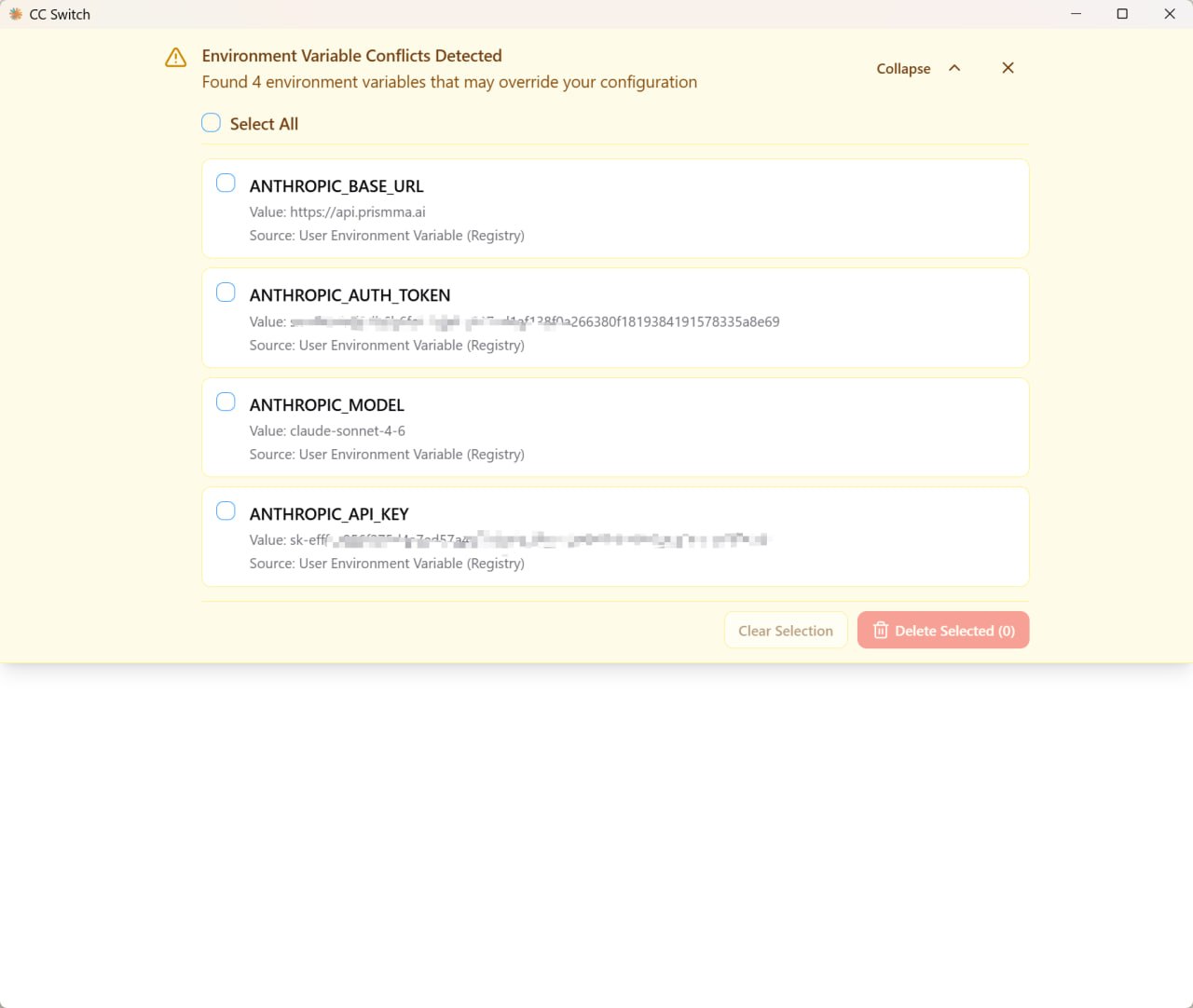
If the shell and CC Switch define different endpoints or credentials, keep one intended configuration. Clear old variables in the current terminal before testing the provider you enabled.
# macOS / Linux: unset ANTHROPIC_API_KEY ANTHROPIC_AUTH_TOKEN ANTHROPIC_BASE_URL# Windows (PowerShell): Remove-Item Env:ANTHROPIC_API_KEY, Env:ANTHROPIC_AUTH_TOKEN, Env:ANTHROPIC_BASE_URL -ErrorAction SilentlyContinue - Open
Open CC Switch — find the + button
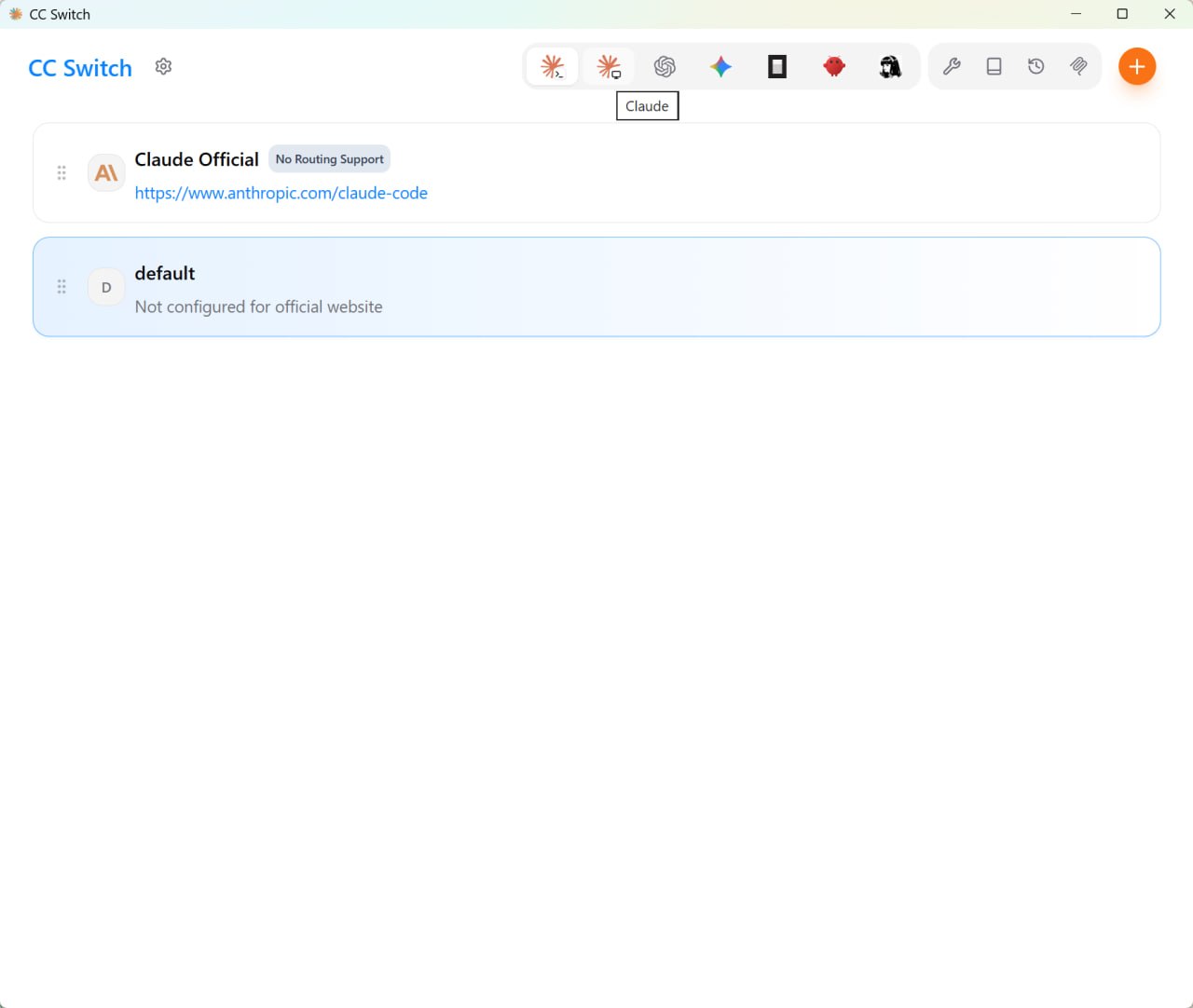
Install and launch CC Switch. Select the tool in the sidebar, then use + to add a custom provider.
You'll see two built-in providers: "Claude Official" (Anthropic OAuth — not for Ahrigate) and "default" (backup of your original config). Click + to add Ahrigate.
- Fields
Fill three fields
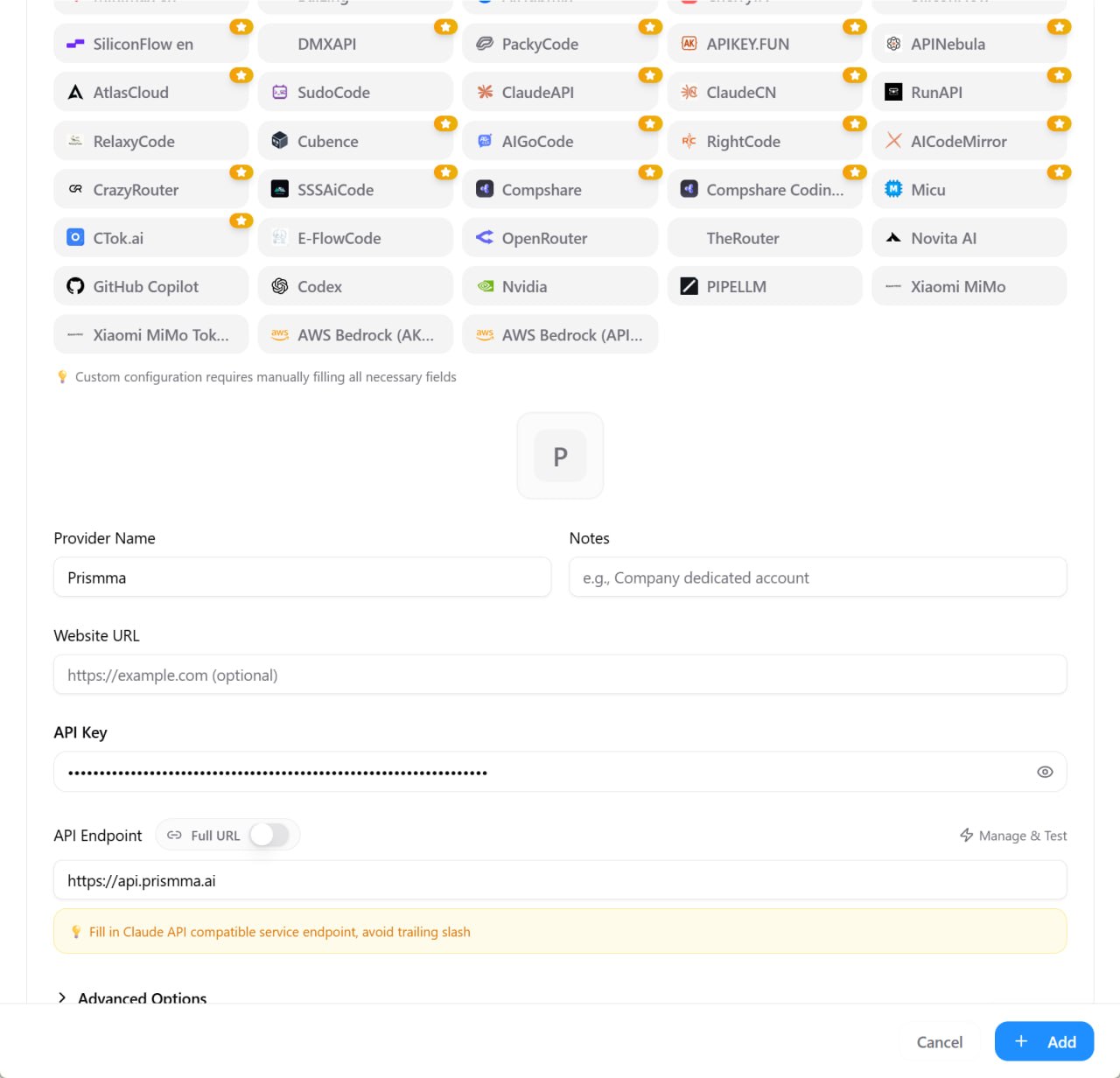
Click "+" and choose "Custom Config" (not Claude Official). Copy the values below into the dialog — one tab for the Claude Code app tab, one for Codex.
CC Switch · Claude Code# CC Switch → Add Provider → Claude Code tab Provider Name: Ahrigate API Endpoint: https://api.ahrigate.com API Key: sk-YOUR-AHRIGATE-KEY Model: claude-opus-5-5
Endpoint · Claude Codehttps://api.ahrigate.comEndpoint · Codexhttps://api.ahrigate.com/v1Model · Claude Codeclaude-opus-5-5Model · Codexgpt-6.1-solClaude Code uses the root endpoint and a Claude-group key. Codex uses /v1, Responses, an OpenAI-group key and its own model. Configure each tool separately.
- Activate
Save — then enable Ahrigate
Save the provider, then select it and click Enable. CC Switch writes the selected tool’s configuration. Repeat in the Codex section with its separate key and model, then restart Codex. Other tools require their own provider setup.
- Verify
You're in! Verify it works
Run `claude`, then /status to confirm api.ahrigate.com is active. Send a short message and check Console → Usage. Claude Desktop requires its own provider selection and an app restart.
Your balance and usage are visible in the Console →
- Essentials
Claude Code essentials
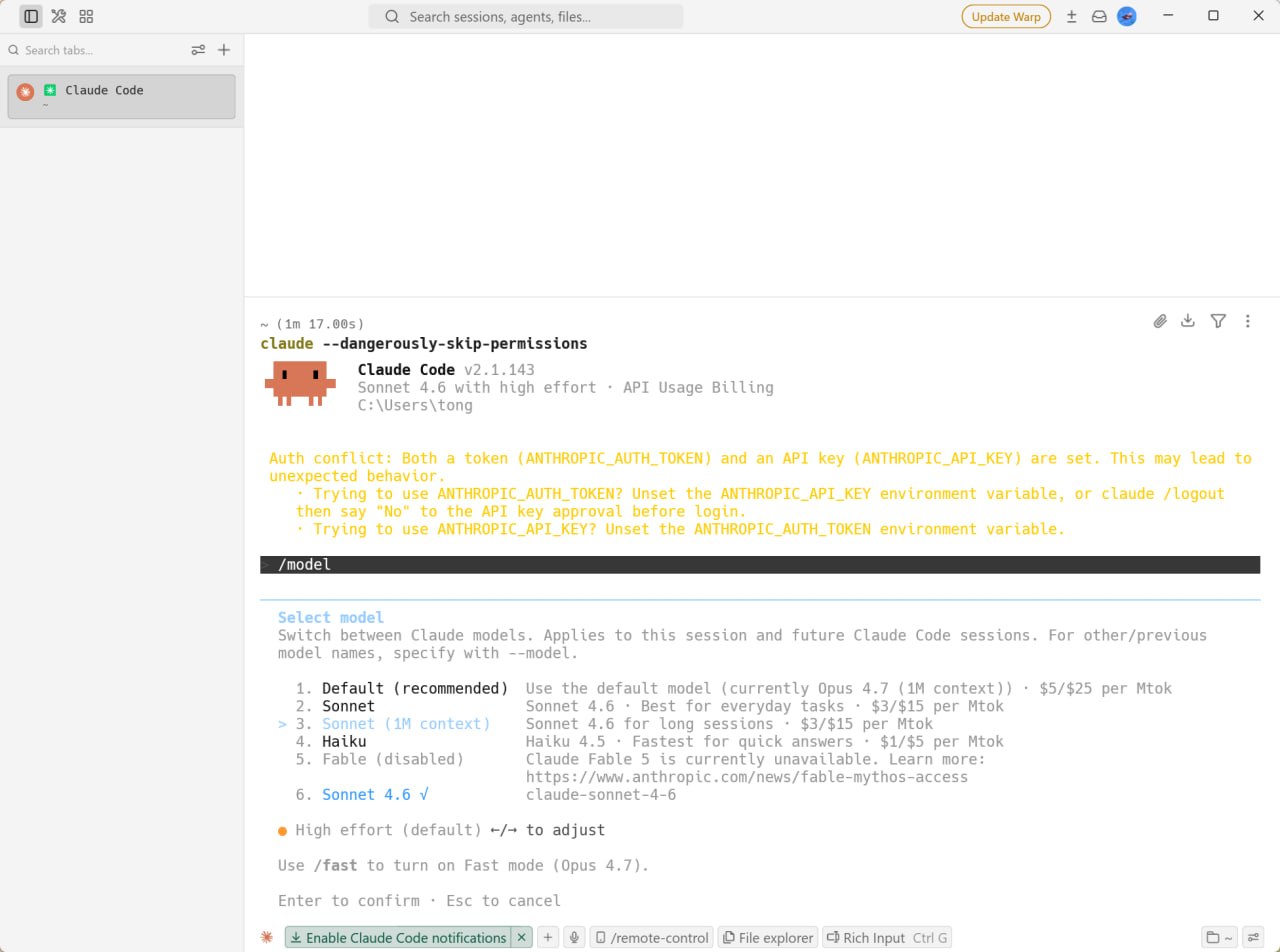
Install Claude Code with its official installer, then launch with `claude`. These commands help verify your setup:
/modelSwitch between Claude models (Opus, Sonnet, Haiku) at runtime./helpList all available slash commands and keyboard shortcuts./costShow the token usage and cost for the current session./clearClear the conversation context to start fresh.🔌 Check /status✉ Send a test message✓ Confirm console usageYou're all setOpen console →
Other tools
 Claude CodeAnthropic's terminal coding agent — wired to Ahrigate in one click
 OpenAI Codex CLIOpenAI's CLI coding agent via Ahrigate's OpenAI-compatible endpoint
 CursorAI-first IDE — point its model endpoint at Ahrigate
 ClineVS Code autonomous coding extension — use Ahrigate as provider
 AiderTerminal pair-programmer — set env vars and go
 OpenCodeOpen-source Claude Code alternative — custom provider via opencode.json
 Claude DesktopClaude Code in the desktop app — connect through third-party inference
 HermesNous Research CLI agent — select a custom endpoint with hermes modelUse in your own codeCall Ahrigate directly with the OpenAI SDK in your own Python or Node code
 OpenClawOpenClaw orchestration toolkit — wire Ahrigate as its model provider
 WindsurfConnect through a compatible extension such as Cline.
 Cherry StudioDesktop AI client — add Ahrigate as a custom OpenAI-compatible provider.
 VS CodeAdd Ahrigate through Chat → Manage Language Models → Custom Endpoint.